01
Quick Start
Follow a guided introduction to set up your first routine and learn the main actions.
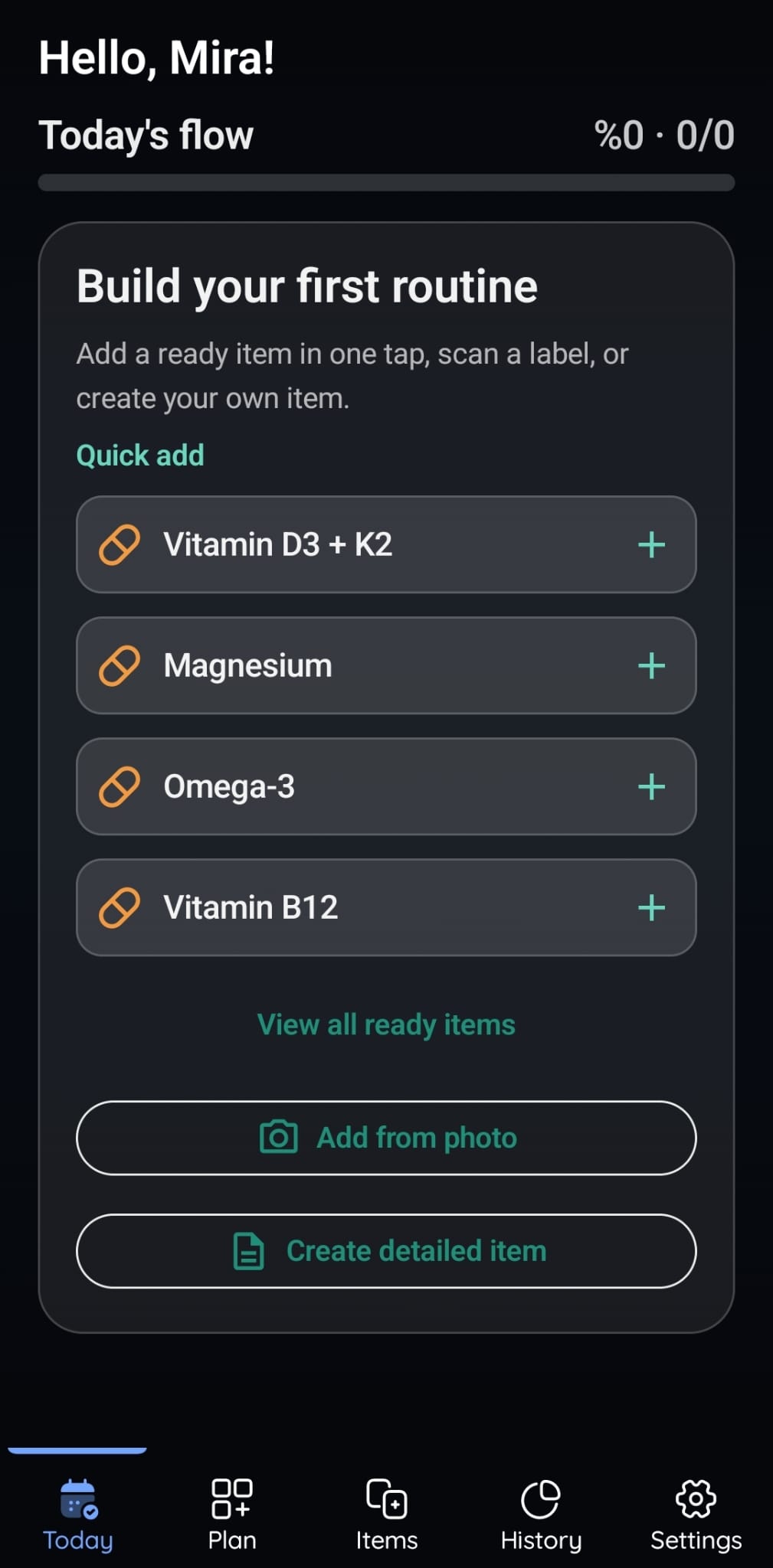
Daily planning, reminders and personal tracking. Currently available on Android.
Organize recurring activities, medications, vitamins and supplements in one daily flow. Set reminders, record your actions, and review filtered history and PDF reports using the information you enter.
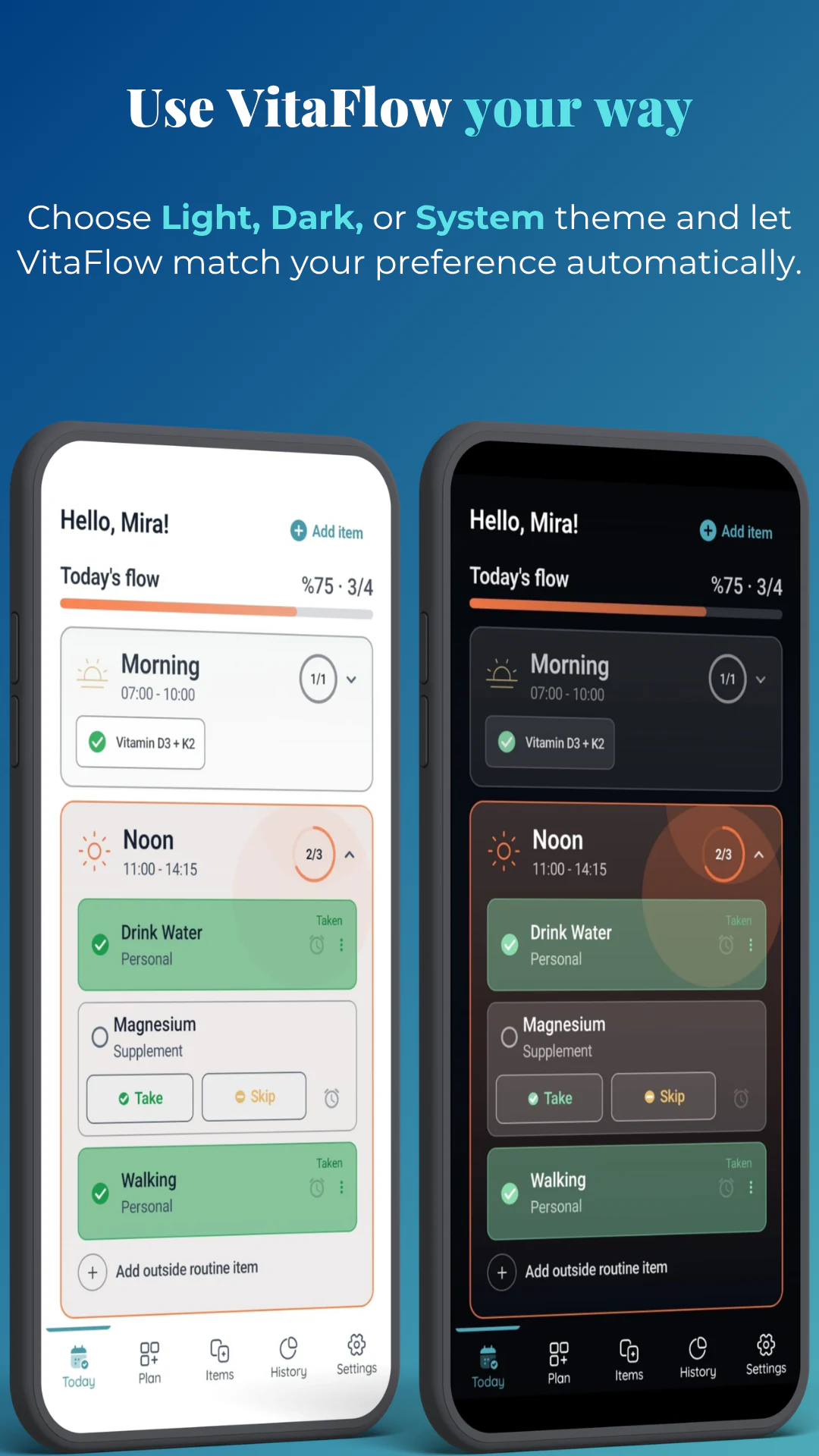
Light, dark, or system theme, swipe actions for faster daily updates, and six localized interfaces.
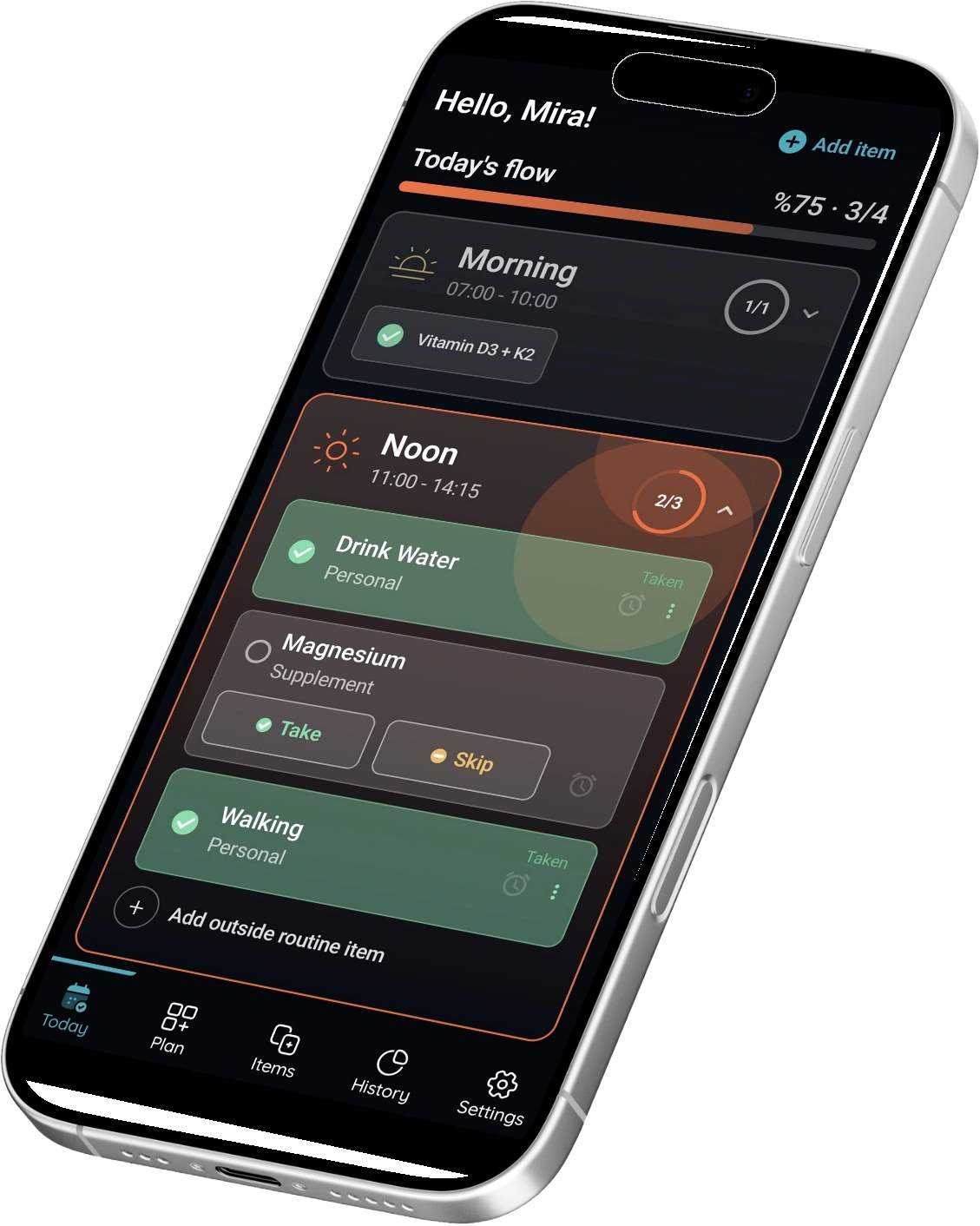
Create routine items, plan their timing, record daily actions and review what you logged. Explore these steps in the localized product screens; select an image for a closer look.
Explore history and PDF reports
Follow a guided introduction to set up your first routine and learn the main actions.
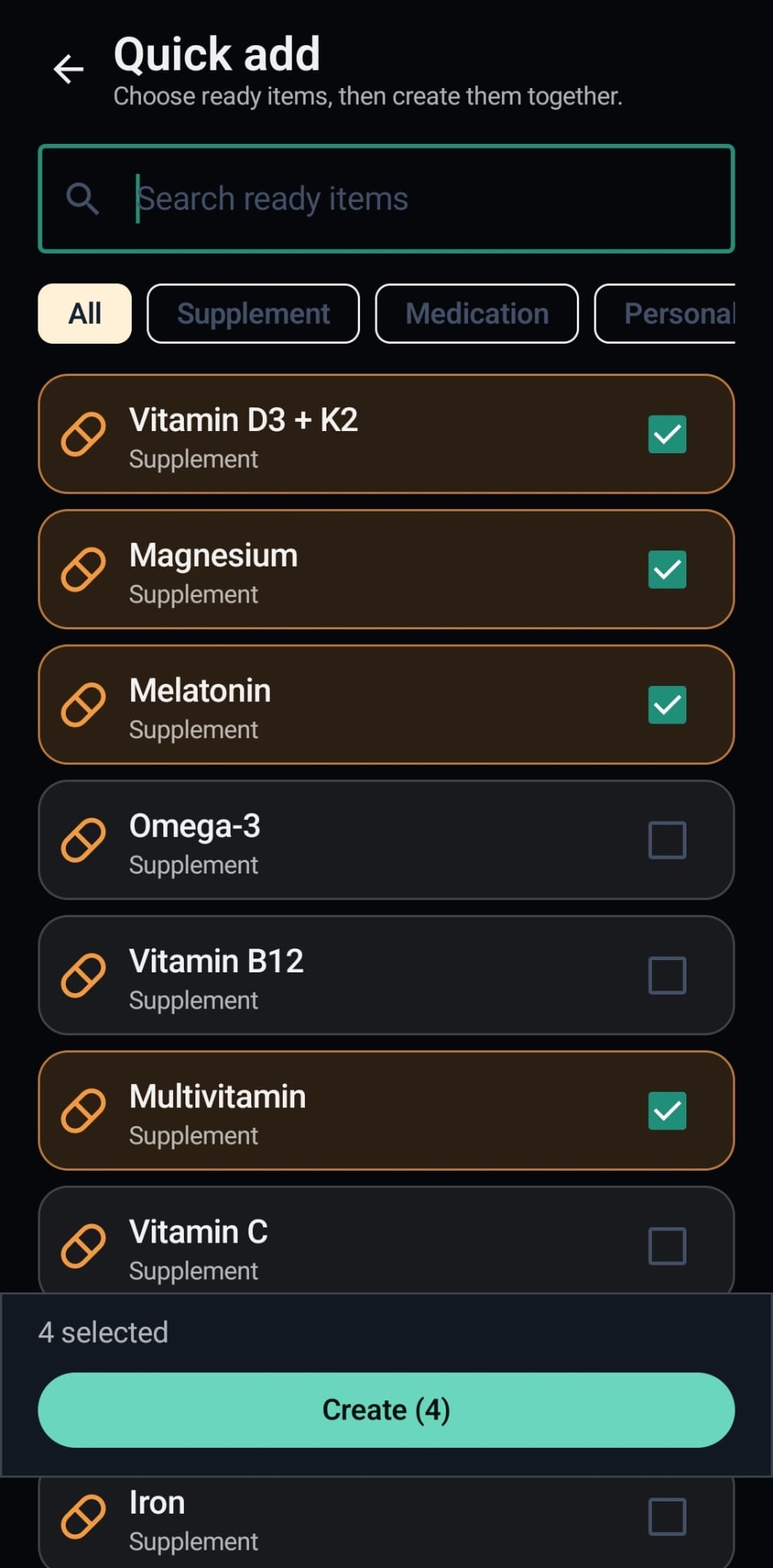
Add several items at once when setting up a routine, without repeating each setup step.
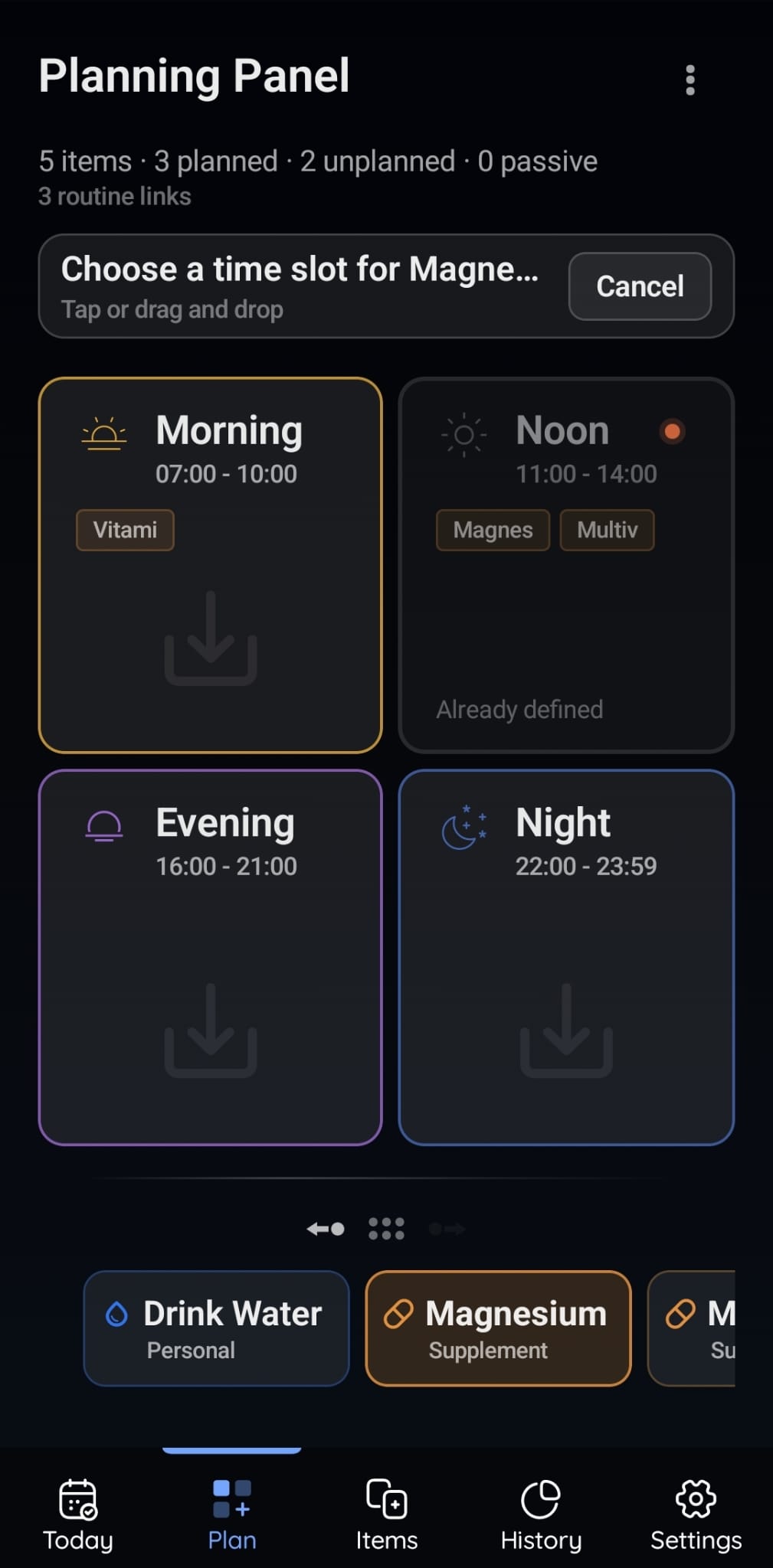
Arrange recurring items into time slots and add reminders, including custom reminder times. Organize your own schedule; VitaFlow does not decide medication timing or dosage for you.
See today's planned items and update their states with quick swipe actions. Record Taken or Skipped entries and activities outside your routine so the daily view reflects what you logged.
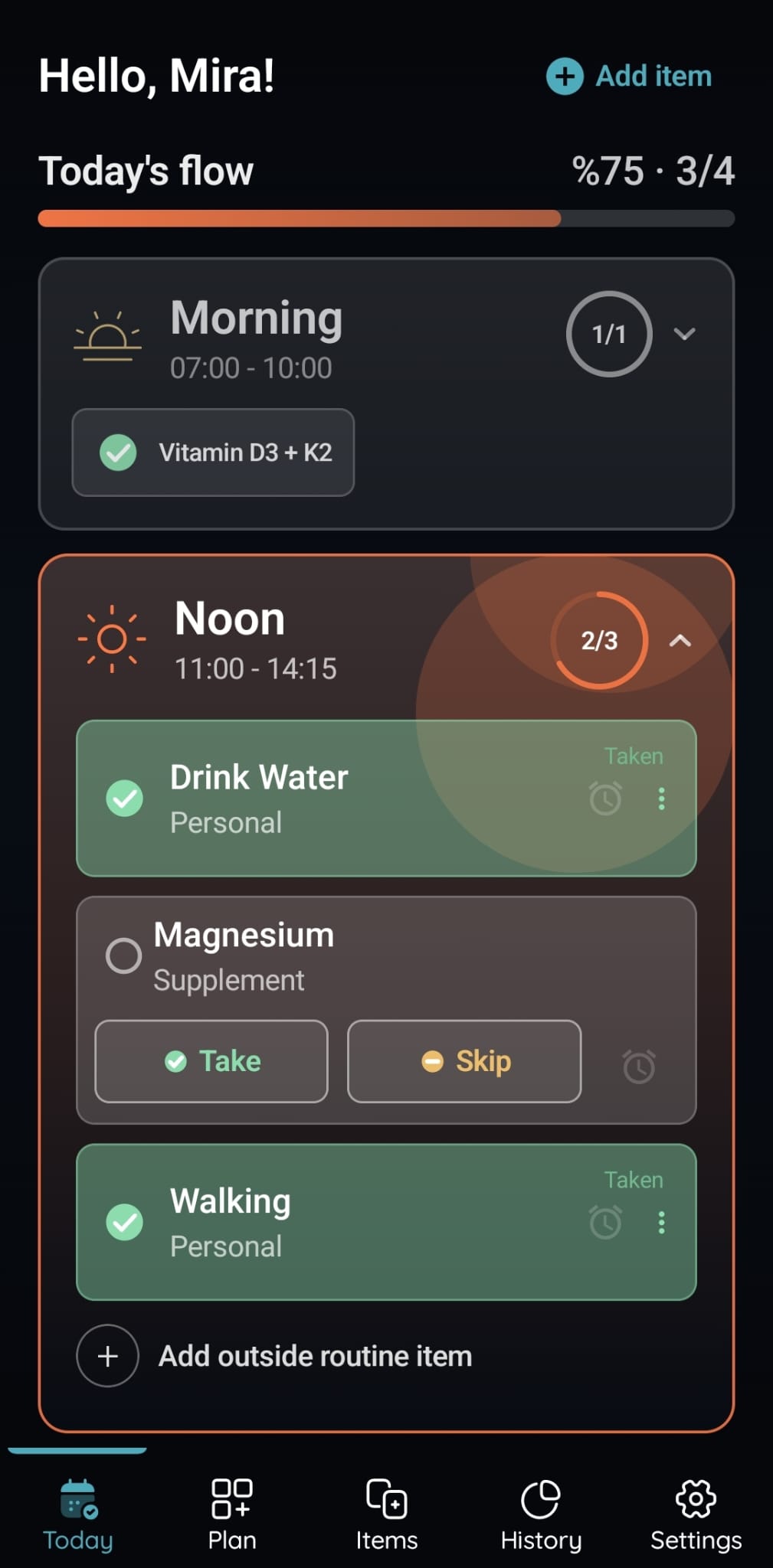
Choose Light, Dark, or System appearance so the interface matches your device and how you prefer to use it.


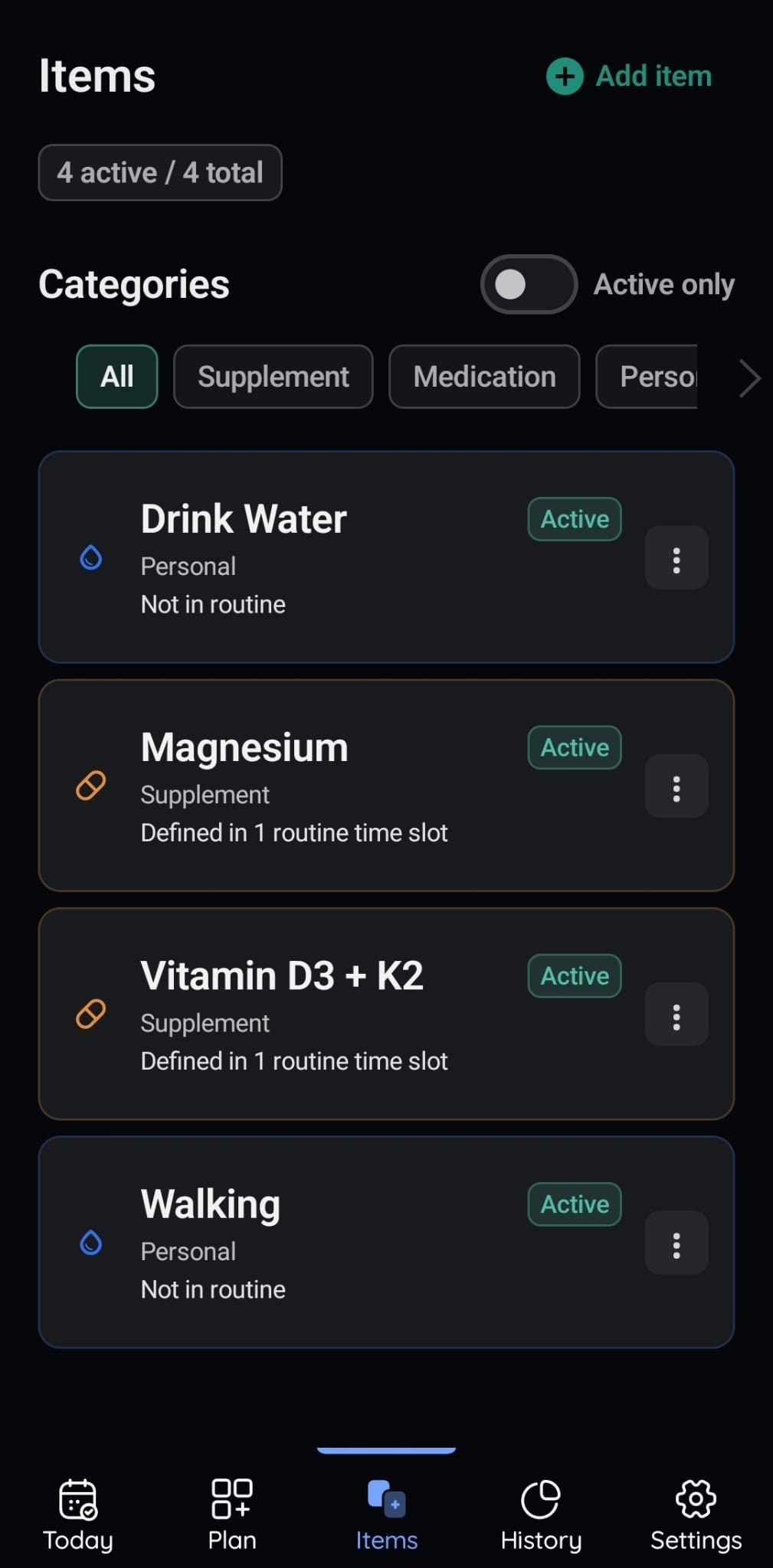
Keep medications, vitamins, supplements and personal activities organized as reusable items. Use your own details and notes for routines such as taking a prescribed medication, drinking water or going for a walk.
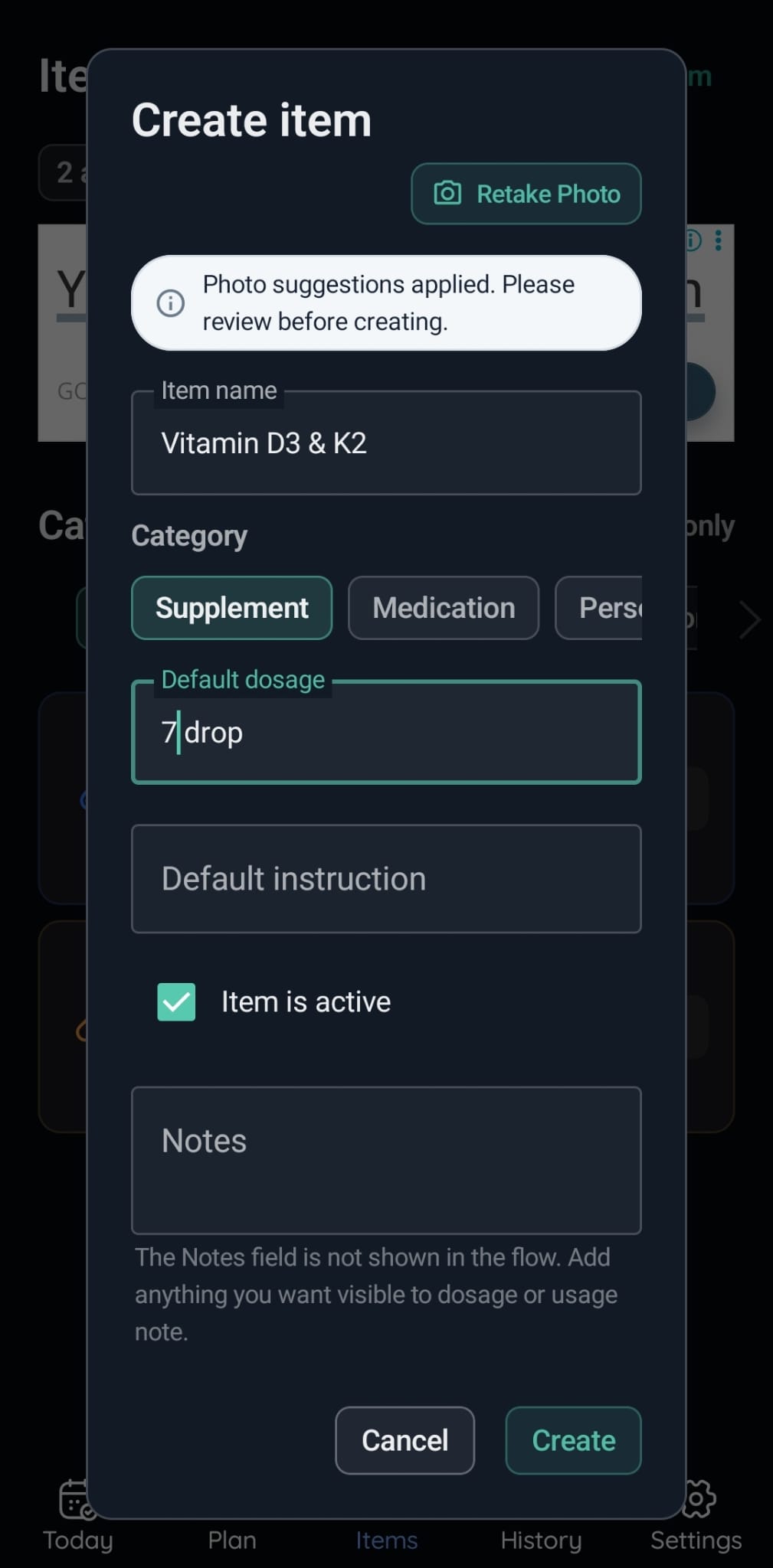
Extract text from a photo into item suggestions, then review and adjust the proposed details before choosing what to save.
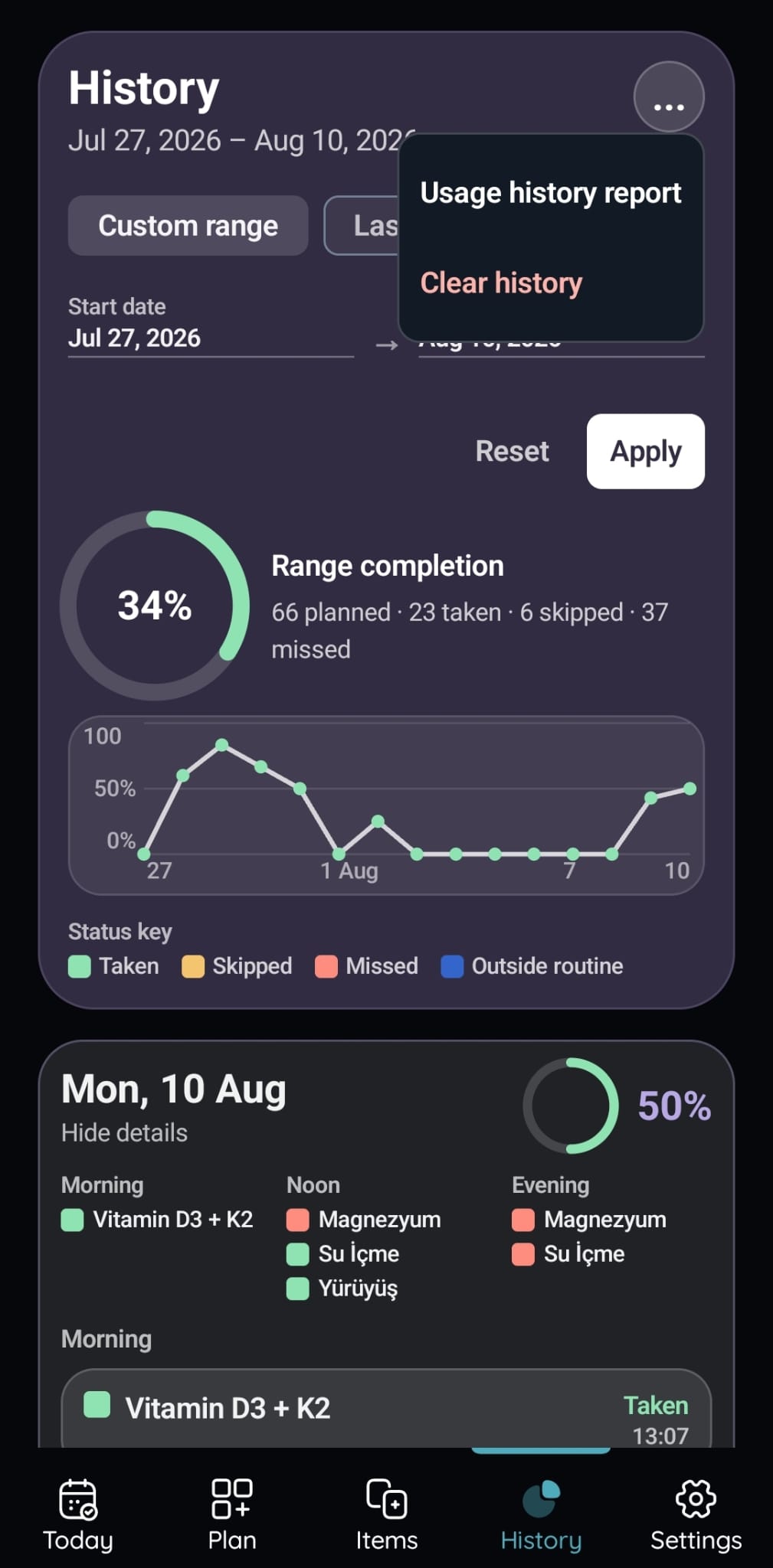
Choose a date range to review Taken, Skipped and Missed records, then create a shareable PDF usage history report. Reports summarize recorded activity; they do not assess treatment effectiveness or health outcomes.
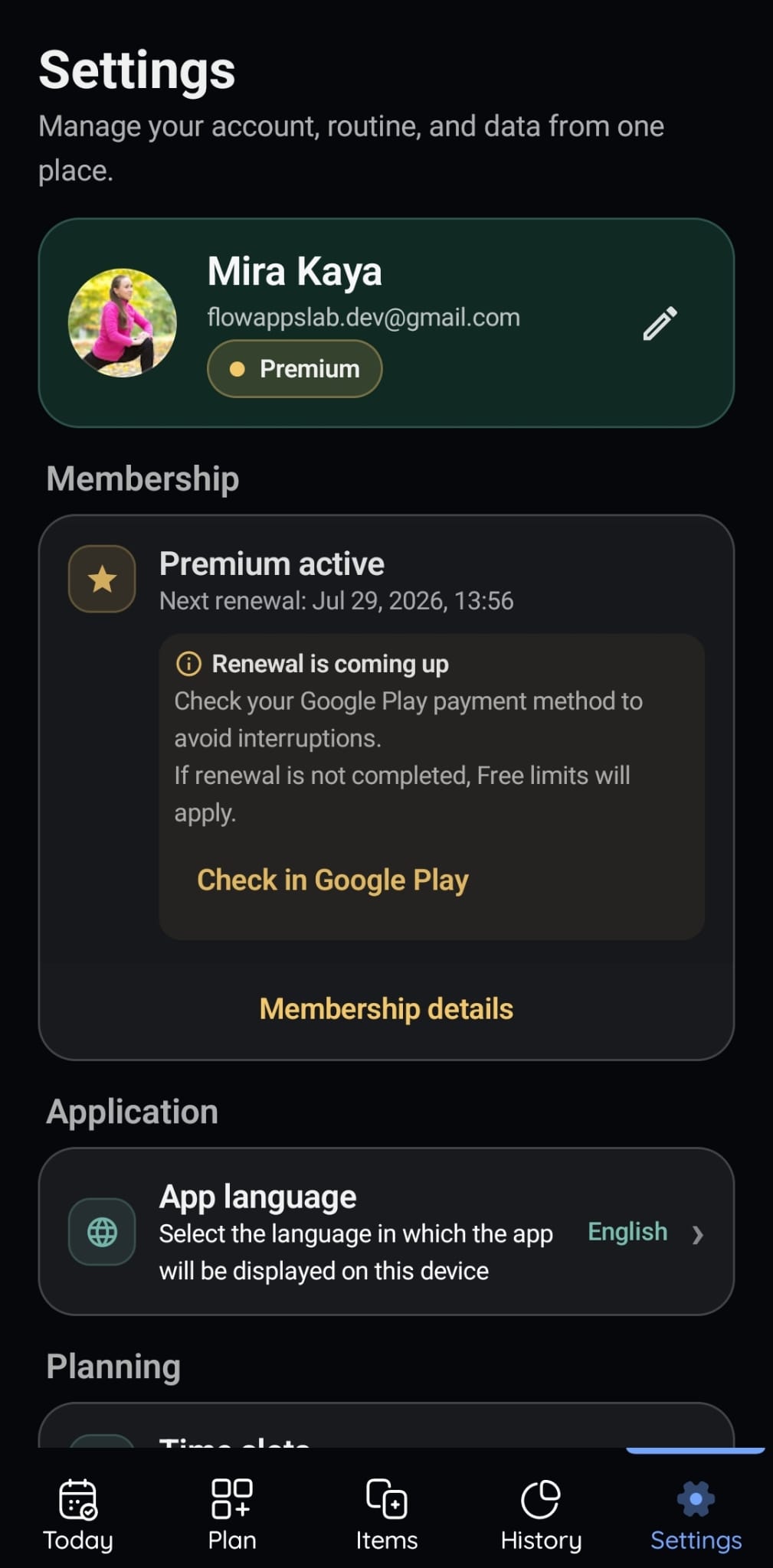
Manage account actions, Premium status, language, notifications, and other product preferences from one settings area.
Bring recurring items and reminders together, update their status during the day, and review your records with history filters and PDF reports.
FlowApps LAB develops and operates VitaFlow, bringing planning, reminders, records and reports into one product. Product, account and privacy questions use the dedicated support contact below.
Open the Google Play link on your phone, or scan this QR code from your computer screen.
VitaFlow and the product visuals on this page support English, Turkish, Spanish, German, French, and Japanese.